

Input Field
Input fields allow respondents to manually enter specific types of information, making them a versatile component of assessments. Unlike predefined selection options (e.g., radio buttons or checkboxes), input fields are open-ended and used for capturing precise details.
Types of Input Fields
There are three distinct input field types, each serving a specific purpose:
1. Text Input Field
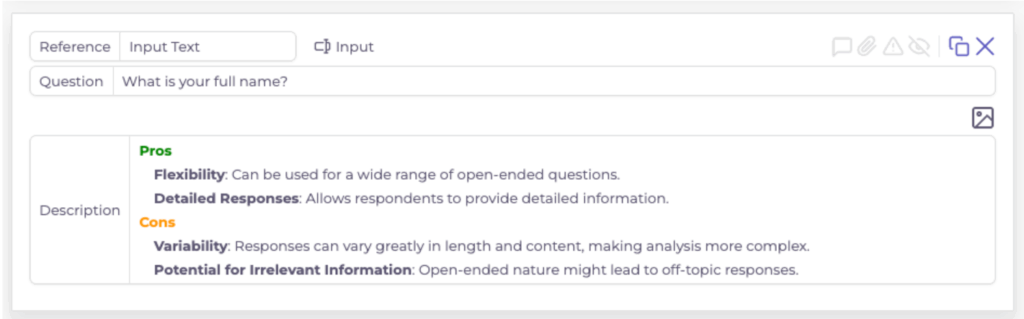
Purpose: Collects open-ended textual responses.
Use Cases:
- Names (e.g., “What is your full name?”)
- Descriptions (e.g., “Describe your organization’s security approach.”)
- General qualitative feedback
✅ Pros:
- Flexibility: Can be used for a wide range of responses.
- Detailed Responses: Allows respondents to provide in-depth answers.
❌ Cons:
- Variability: Responses can vary greatly in length and content, making analysis more complex.
- Potential for Irrelevant Information: Open-ended nature might lead to off-topic responses.
2. Number Input Field
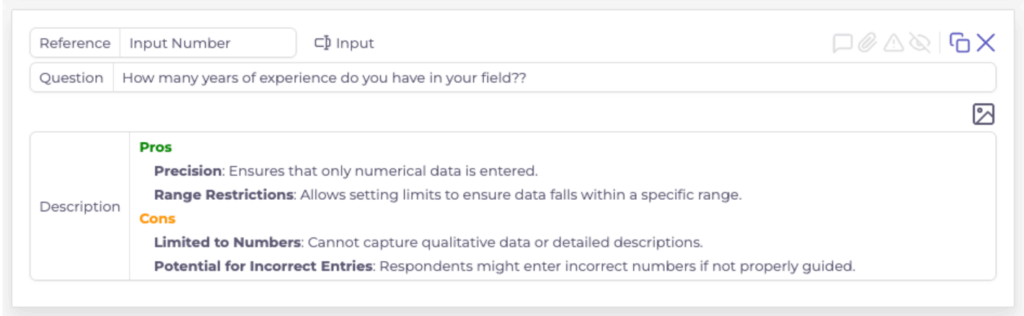
Purpose: Captures numerical data, ensuring structured, quantitative input.
Use Cases:
- Numeric values (e.g., “How many years of experience do you have?”)
- Quantities (e.g., “How many employees are in your department?”)
- Measurements (e.g., “Enter your organization’s annual revenue.”)
✅ Pros:
- Precision: Ensures only numerical data is entered.
- Range Restrictions: Allows setting limits to ensure data falls within a specific range.
❌ Cons:
- Limited to Numbers: Cannot capture qualitative details.
- Potential for Incorrect Entries: Respondents may enter incorrect numbers if not properly guided.
Tip: Use range validation (e.g., minimum and maximum values) to prevent unrealistic inputs.
3. Email Input Field
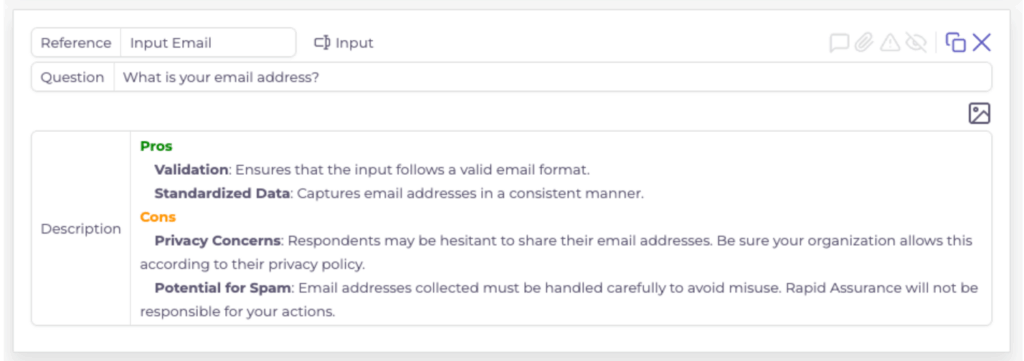
Purpose: Collects email addresses in a standardized format.
Use Cases:
- Capturing respondent contact details
- User authentication or verification purposes
✅ Pros:
- Validation: Ensures that the input follows a valid email format.
- Standardized Data: Captures email addresses in a consistent manner.
❌ Cons:
- Privacy Concerns: Respondents may be hesitant to share their email addresses. Ensure compliance with privacy regulations.
- Potential for Spam: Email addresses collected must be handled securely to prevent misuse.
Tip: Clearly explain why the email is being collected to increase respondent trust.
Scoring and Compliance
Unlike selection-based question types, input fields do not have scores and instead fall under an “Information” Standard. Their purpose is to collect data rather than assess compliance levels or maturity.
How to Use Input Fields in Rapid Assurance
- Select the appropriate input field type (Text, Number, or Email).
- Enter your question in the designated field.
- Set validation rules (if applicable) to restrict input types (e.g., number ranges, required fields).
Advanced Features
- Validation Rules: Ensure only valid inputs (e.g., numerical constraints, email format validation).
- Predefined Placeholders: Provide example text inside the field to guide users.
- Clone & Save Favorites: If a well-structured question is effective, duplicate it or save it for reuse.
When to Use Input Fields vs. Other Question Types
- Use Input Fields when respondents need to provide specific, unique, or numerical data.
- Use Radio Buttons, Drop-Downs, or Checkboxes when predefined choices make responses easier to categorize and analyze.